
Edit paths point by point
Drag endpoints and Bezier handles on the canvas, or type exact values into the path-command table.
Editor features
Open an SVG, move shapes and path points on the canvas, adjust colors and attributes, and see the source update live. Your artwork stays in your browser.
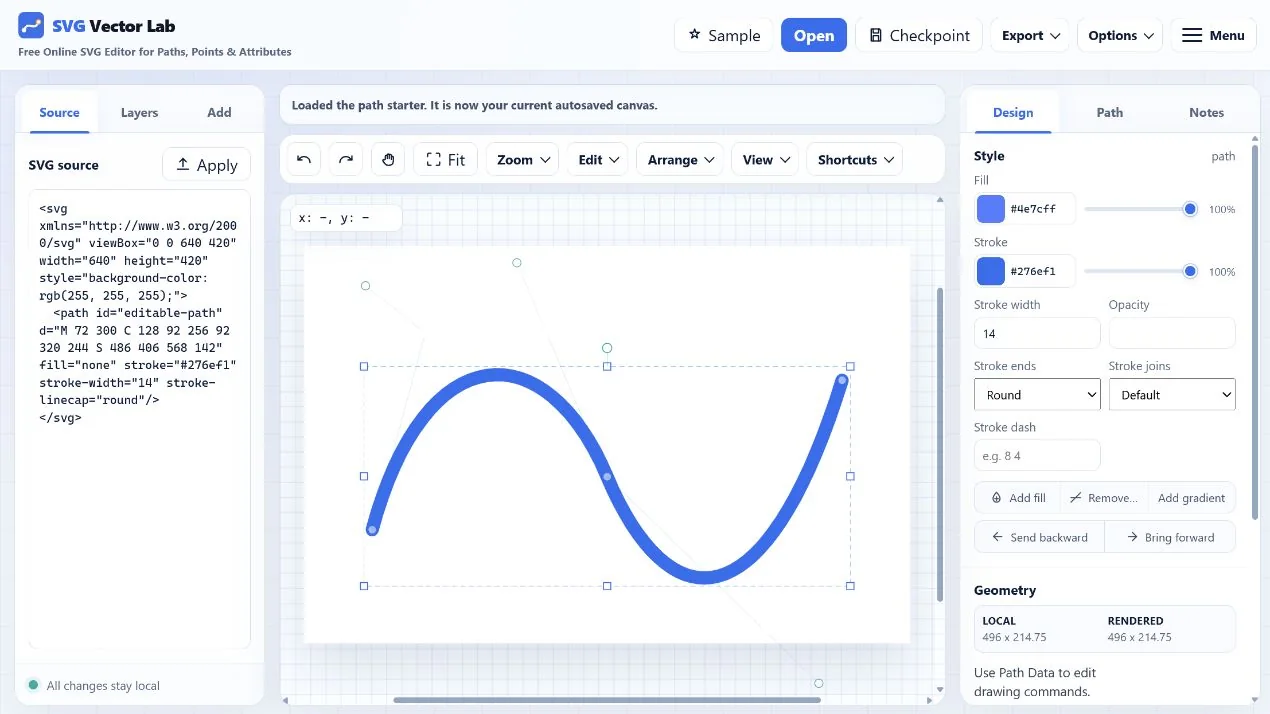
Everything needed for focused SVG edits
Drag endpoints and Bezier handles on the canvas, or type exact values into the path-command table.
Edit paths, rectangles, circles, ellipses, lines, polygons, polylines, text, groups, and use references.
Visual changes update the markup immediately, and source edits flow back to the canvas when applied.
Copy clean SVG markup, download a standard SVG file, or render PNG at 1×, 2×, 4×, or 8× resolution.
How it works
Privacy by design
SVG Vector Lab performs its editing work in the browser. Files are not intentionally uploaded to an application server. Work in progress may be autosaved in your browser's local storage so it can be restored on your next visit.
Hosting, analytics, consent, and advertising services may still receive ordinary website-request information. The Privacy Policy explains those services and your choices.
Common questions
Yes. The hosted editor is free to use and requires no account. The project source is also available under the MIT License.
No. Artwork is opened, edited, autosaved, and exported in your browser. It is not intentionally uploaded to an application server.
Yes. Drag endpoints and Bezier control points directly, or enter exact path-command values in the Path panel.
Yes. Export the current drawing as SVG or render it as PNG at several resolution multipliers.
Focused SVG workflows
Open a prepared curve and work directly with anchors, Bézier handles, and commands.
Start with common SVG shapes and turn them into point-editable path data.
Preview and edit a vector before rendering PNG at 1× through 8× resolution.
Begin with a blank canvas, then open a file or paste SVG source.
Start editing
No download, registration, or project setup is required.
Open SVG Vector Lab