
Edit common elements
Work with paths, rects, circles, ellipses, lines, polygons, polylines, text, groups, and use references.
Free browser SVG editor
Open a file or paste SVG markup, then move vectors, adjust colors and geometry, change transforms and attributes, and export standard SVG or PNG. No account or installation is required.
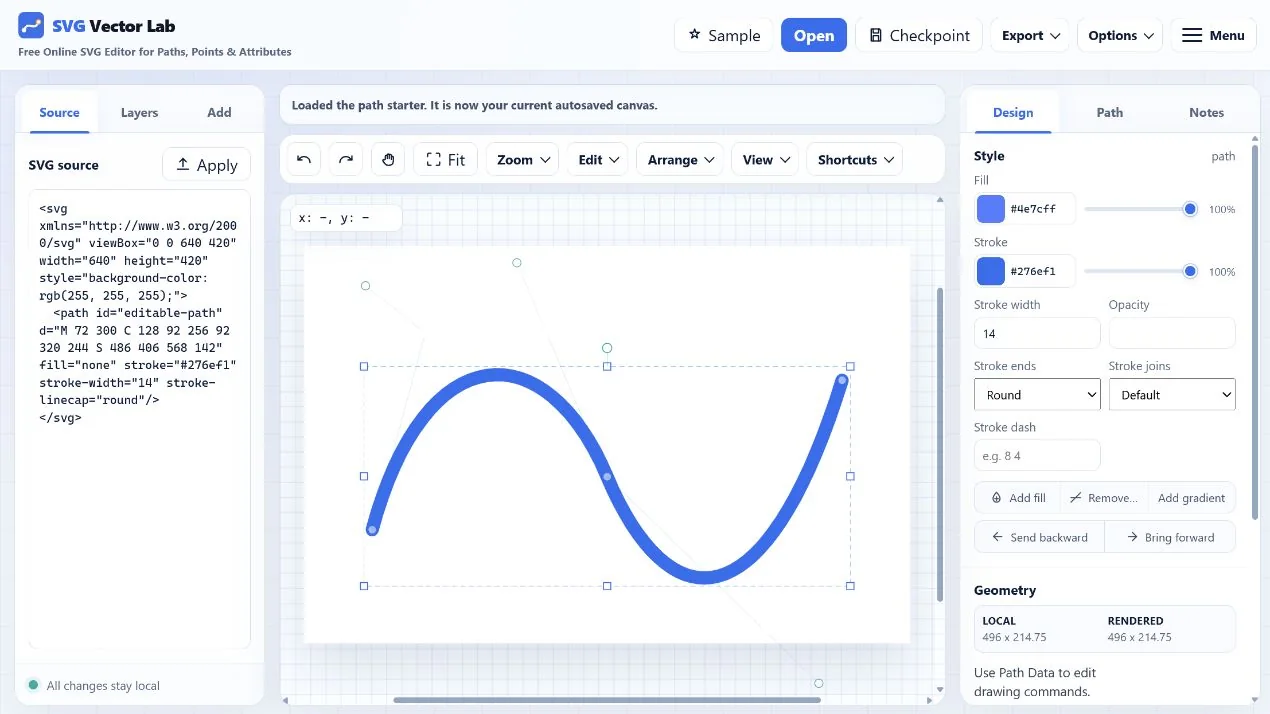
One workspace, two ways to edit
Work with paths, rects, circles, ellipses, lines, polygons, polylines, text, groups, and use references.
Change fill, stroke, opacity, stroke width, geometry, transforms, layer order, and arbitrary attributes.
Multi-select, rubber-band, nudge, resize, rotate, duplicate, reorder, and snap while editing.
Copy clean markup, download SVG, or render PNG at several resolution multipliers.
Start from any SVG
Imported markup is sanitized before it reaches the canvas. The source stays visible, so you can confirm exactly what changed and continue using the file in code or another vector application.
Your current work can be autosaved in local browser storage. Artwork is not intentionally uploaded to an application server for editing.
Begin editing
You can paste source or open your own file as soon as the editor loads.
Edit SVG online